Create Your Pricing Profile
What it is
A pricing profile is a named set of rules that tells Stone Insights how to calculate a recommended price for any diamond. Every recommendation, batch run, and reprice job uses one profile — change the profile and the same diamond can be priced differently. You can have as many profiles as you want, and one of them is marked Default.
Why you'd use it
- You sell to two markets with different margin expectations (for example wholesale vs. retail) — one profile per market.
- You want a safety floor so the system never recommends a price below your cost.
- You want to test a more aggressive strategy without losing your current settings — create a second profile and switch back any time.
- You operate in a specific region and want all recommendations to default to that region's price data.
Step-by-step
- Open the sidebar and go to Settings → Pricing Profiles (or visit
/app/settings/profiles). - Click New Profile in the top-right of the profiles list.
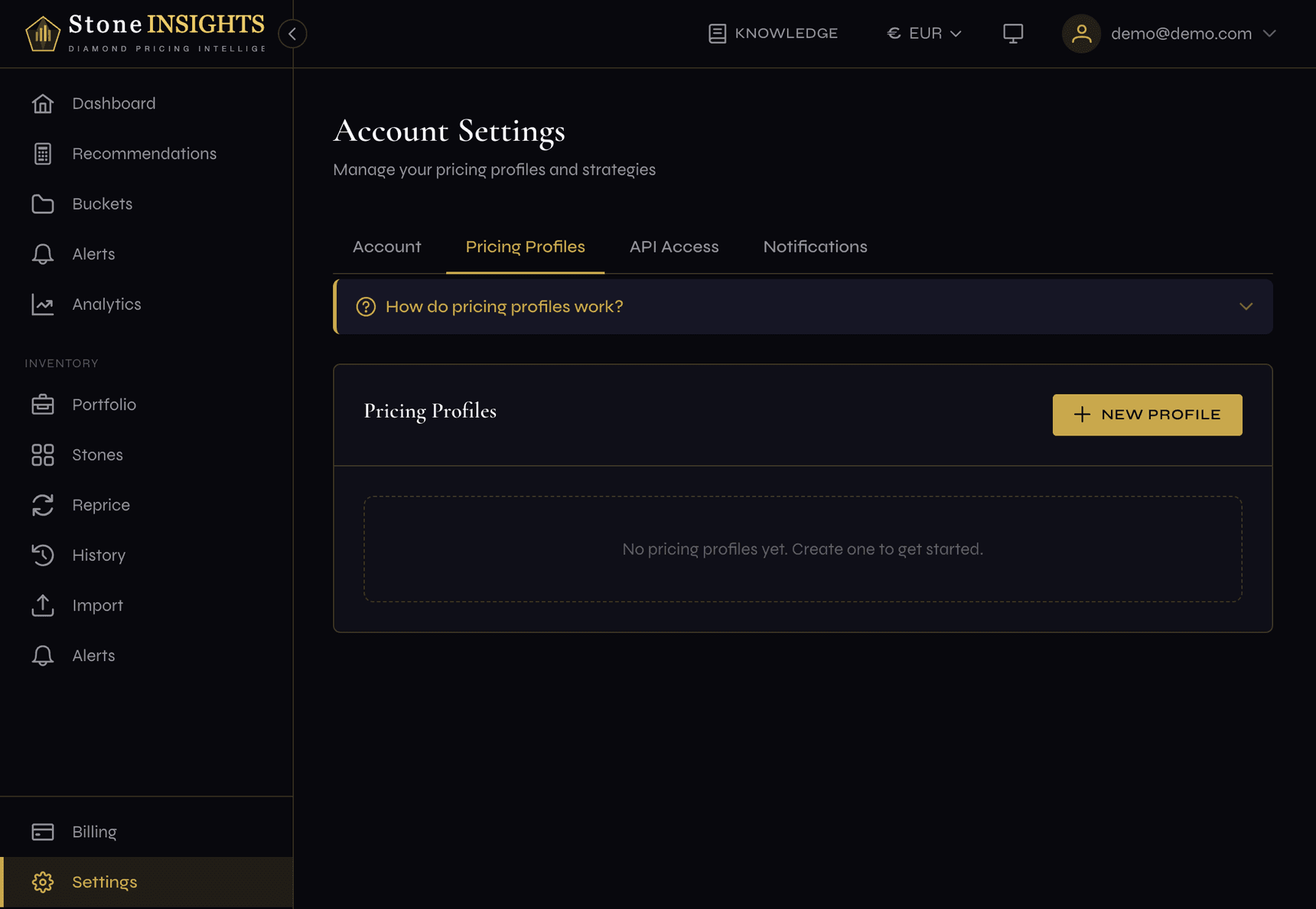
- Enter a Profile Name — something you'll recognize later, for example Wholesale — EU.
- (Optional) Add a Description — a one-line note for yourself.
- Pick a Strategy — start with Market Follow if you're not sure. The four strategies are explained in the field reference below.
- (Optional) Pick a Default Region — leave it blank to use global data.
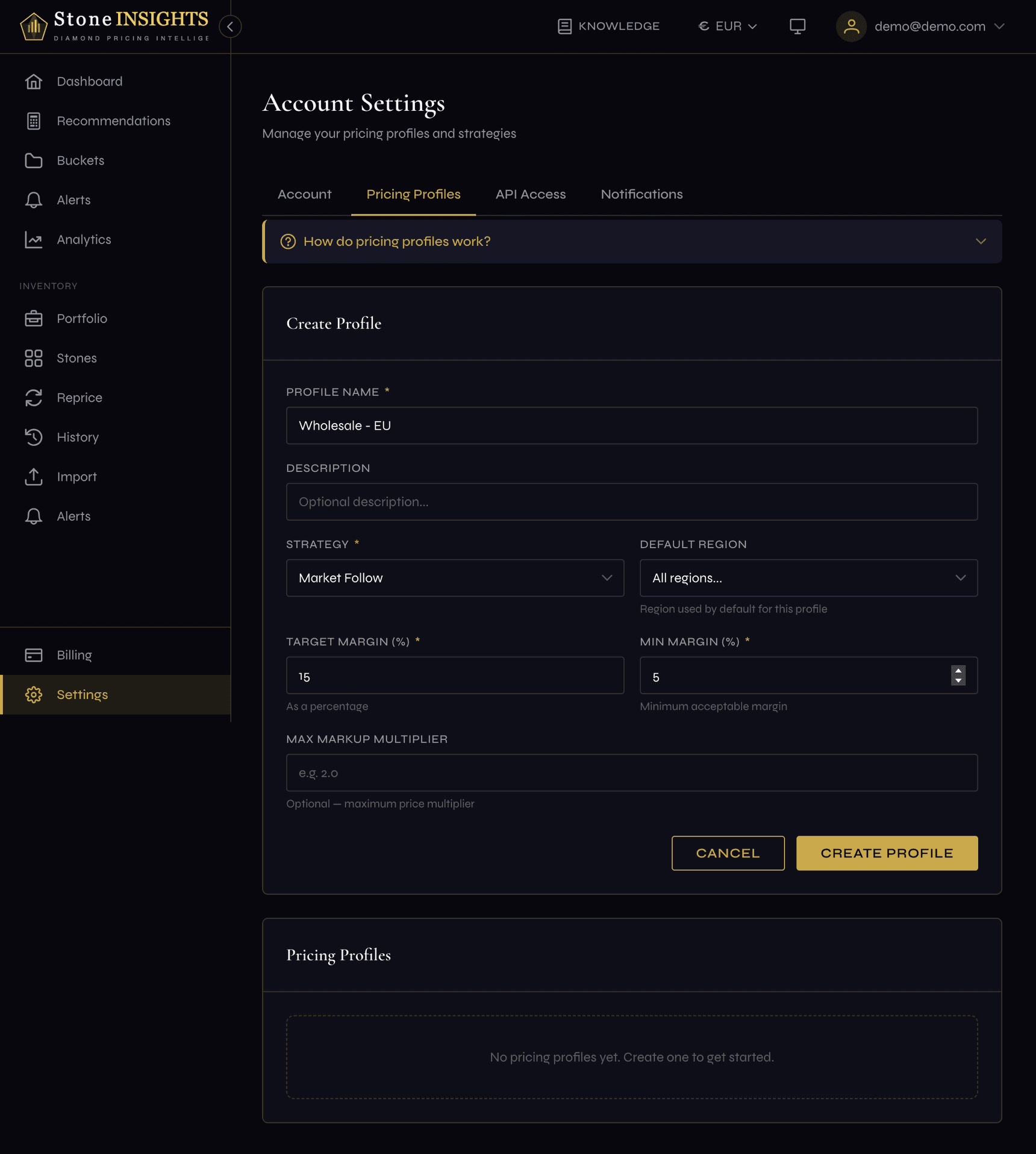
- Set Target Margin (%) — the profit margin you aim for on a typical sale, for example
15. - Set Min Margin (%) — the lowest margin you'll ever accept, for example
5. The system will never recommend below this. - (Optional) Set Max Markup Multiplier — a hard ceiling.
2.0means "never price above 2× the base price". - Click Create Profile. The new profile appears in the list.
- (Optional) Click Set as Default on the new profile if you want it to apply automatically to every new recommendation.
Field reference
Profile Name (required) Free text. Used to identify the profile in dropdowns throughout the app.
Description (optional) Free text. Shown under the profile name in the profiles list.
Strategy (required)
- Market Follow — recommendations track current market trends. Best default for most sellers.
- Aggressive — slightly lower prices to win more sales. Use when you need to move stock fast.
- Premium — higher margins for premium positioning. Use for a curated, high-end inventory.
- Custom — fully manual margin control; the system uses only the numbers you provide below.
Default Region (optional) Which regional market the profile uses for base price data. Blank means use the global default.
Target Margin (%) (required)
The profit margin the system aims for on each recommendation. Entered as a percentage — 15 means 15%.
Min Margin (%) (required) A safety floor. Recommendations will never drop below this margin. Set this to your true break-even point.
Max Markup Multiplier (optional)
A hard ceiling expressed as a multiple of the base price. 2.0 means "never above 2× the base price". Leave blank for no ceiling.
Default (toggle on the profile list, not on the form) Marks the profile that applies automatically to new recommendations when no profile is explicitly chosen. Exactly one profile is default at a time.
Tips and common mistakes
The Default toggle deserves the same caution, because it silently changes what every downstream job uses.