Price a Diamond by Certificate
What it is
Certificate Lookup is the fastest way to price a single diamond in Stone Insights. You enter a certificate ID and your supplier price, and the platform returns a recommended sale price based on real market data for that exact stone — or, when exact data isn't available, for the closest matching market segment.
Why you'd use it
- You already have a graded stone and know its certificate number — no need to re-enter the four Cs by hand.
- You want the highest-accuracy recommendation the platform can produce. Certificate-level data reflects actual competing offers for the same stone across multiple sources.
- You're comparing a supplier's asking price to the market before committing to a purchase.
- You need a price for a customer quote and you want it in seconds.
Step-by-step
- Open the sidebar and go to Recommendations → By Certificate.
- (Optional) Pick a Pricing Profile. If you leave it blank, your default profile is used.
- (Optional) Pick a Region to filter the market data to a specific geographic market. Leave it blank to use all regions.
- Enter the Certificate ID — for example
GIA-1234567890. GIA, IGI, and other major labs are supported. - Enter the Supplier Price in your active currency. This is what you're paying (or would pay) for the stone.
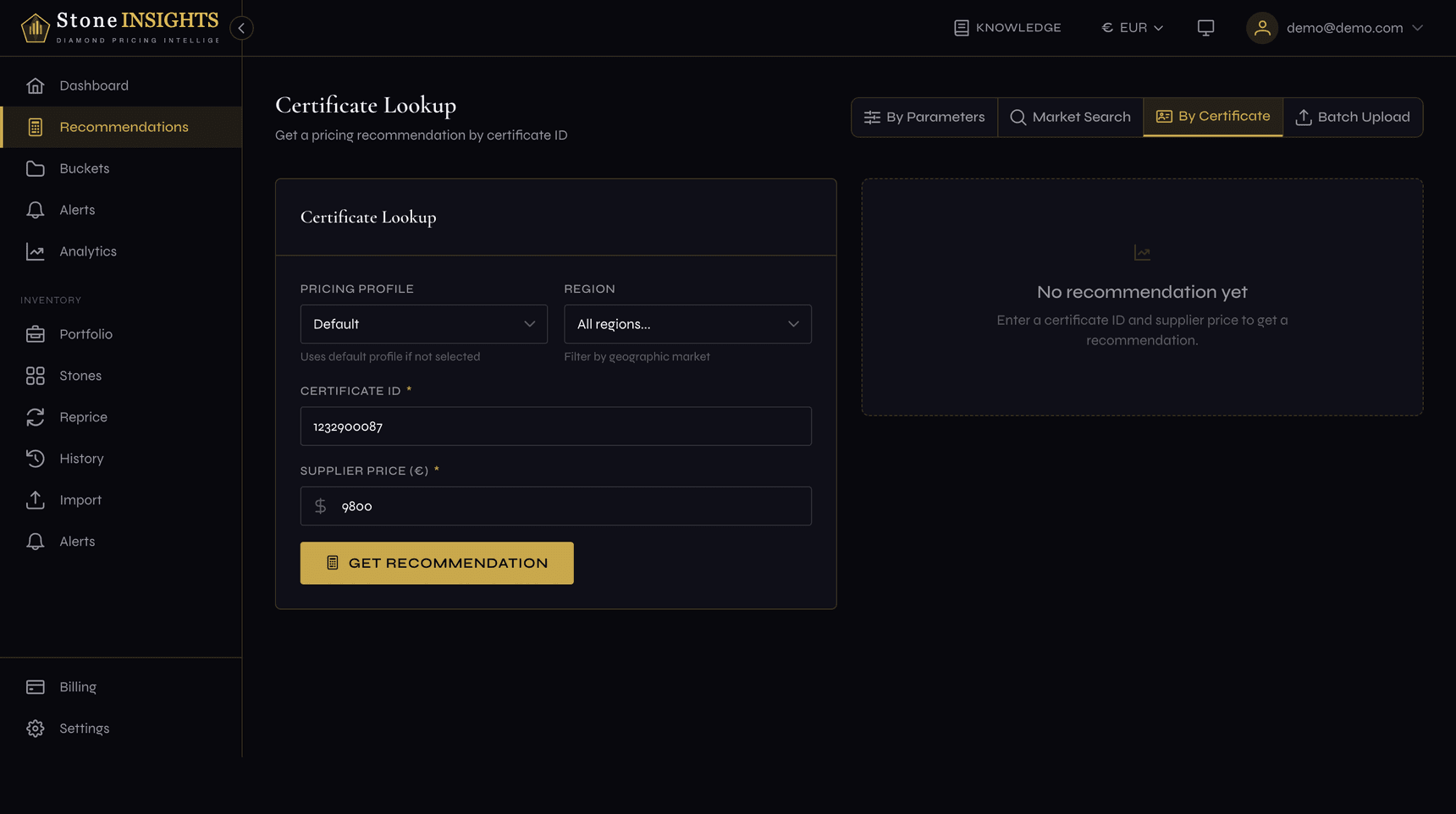
- Click Get Recommendation.
- Read the result in the panel on the right:
- The headline price is the recommended sale price for your profile.
- The Exact Match badge means the recommendation is based on certificate-level data for this exact stone.
- The Market Segment badge means the platform fell back to the closest matching bucket because exact data isn't available yet.
Understanding the result
Every recommendation comes with a confidence level (high / medium / low) and a data source badge.
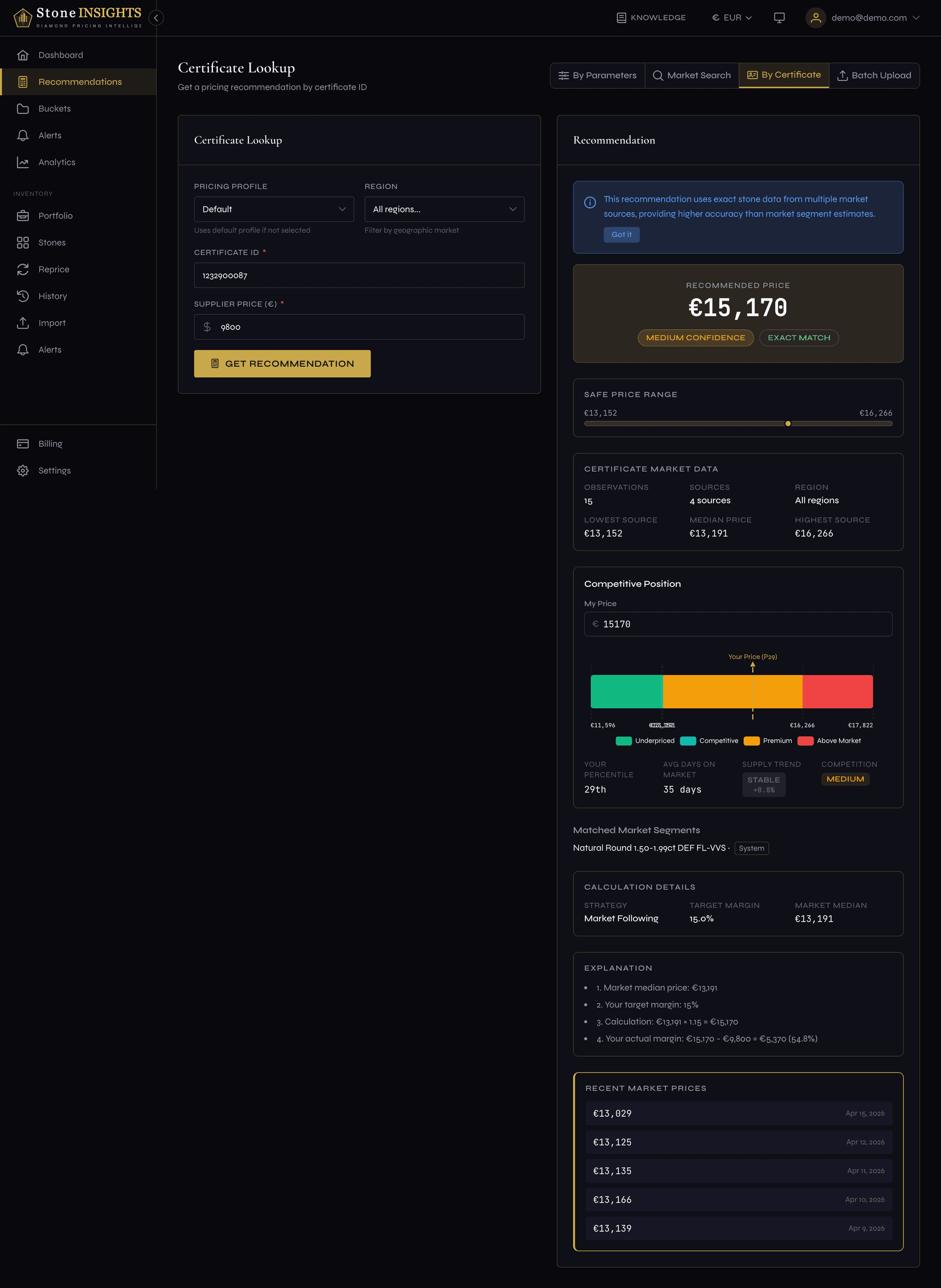
- Exact Match (certificate-level) — the platform found enough recent transactions or listings for this exact stone to price it directly. This is the most accurate result available.
- Market Segment (bucket-level) — no exact data yet, so the platform priced the stone against similar diamonds in the same market segment. You'll see an info banner explaining the fallback, a link to the segment, and a shortcut to try By Parameters instead.
Field reference
Pricing Profile (optional) The profile whose margin and strategy rules are applied to the recommendation. Defaults to your default profile. See Create Your Pricing Profile for how profiles work.
Region (optional) Restricts the market data to a geographic region. Leave blank to use the global default or your account's default region.
Certificate ID (required)
The full lab certificate number. Prefixes like GIA- are accepted but not required — the platform normalizes the value before lookup.
Supplier Price (required) The price you pay (or would pay) the supplier for this stone, in your active currency. Used by the profile's margin rules to compute the recommended sale price. The value is converted to EUR before the calculation, so switching currencies in the header does not affect the stored result.
Tips and common mistakes
If the lookup itself fails instead of the pricing, the platform offers a direct path forward rather than a dead end.