Manage Your Account and Notifications
What it is
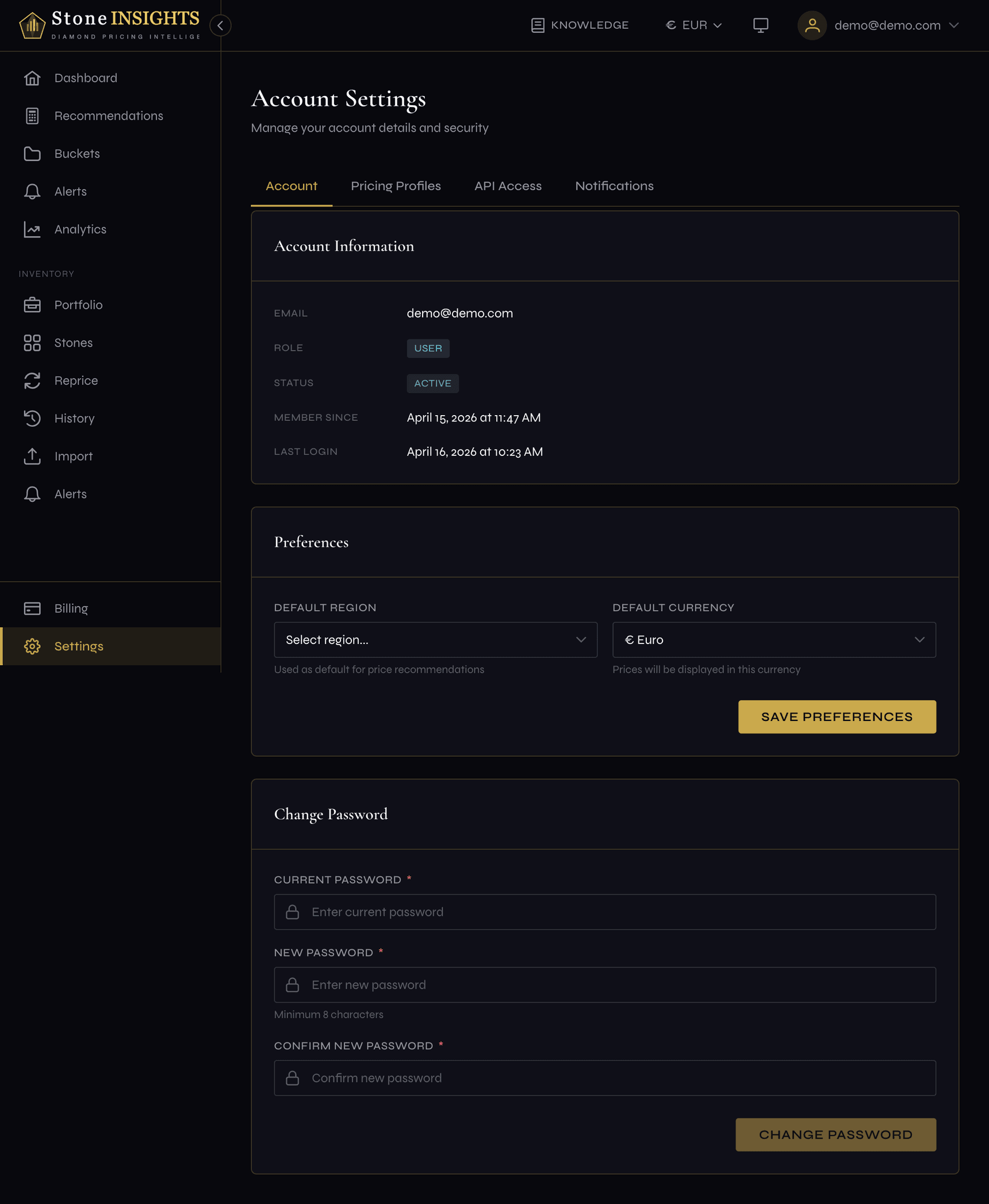
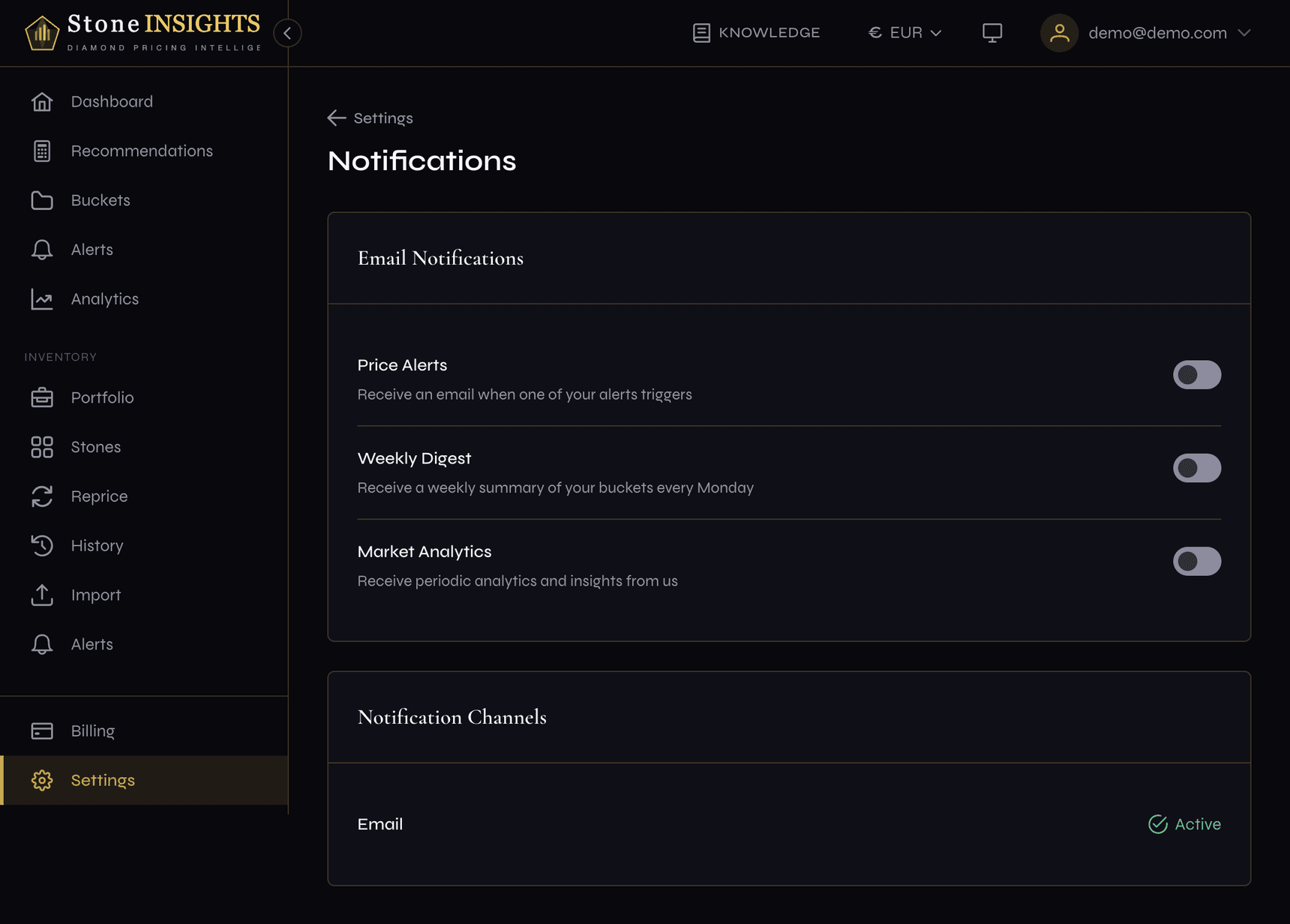
The Settings area groups your personal account details and notification preferences into two pages. The Profile page shows your account information, lets you set a default region and currency, and includes a password change form. The Notifications page controls which emails Stone Insights sends you — alert triggers, weekly digests, and analytics updates.
Why you'd use it
- You sell primarily in one region and want every pricing view to default to that market instead of selecting it each time.
- You work in EUR but the platform defaults to a different currency. Setting your default currency applies it across recommendations and analytics.
- You receive too many (or too few) emails and want to toggle specific notification types on or off.
- You need to update your password.
Step-by-step
Update your profile
- Open the sidebar and go to Settings → Profile (or visit
/app/settings/profile). - Review the Account Information section at the top. It displays your email, role, status, member-since date, and last login. These fields are read-only.
- Scroll to the Preferences section.
- Select a Default Region from the dropdown. This sets the geographic market used across the platform when no other region is specified.
- Select a Default Currency from the dropdown. Each option shows the currency code, symbol, and full name.
- Click Save Changes. A confirmation toast appears.
Change your password
- On the same Profile page, scroll to the Change Password section.
- Enter your Current Password.
- Enter a New Password (minimum 8 characters).
- Re-enter the new password in Confirm New Password. The two must match.
- Click Update Password. A confirmation toast appears if the change succeeds.
Configure notifications
- Click the Notifications tab in the settings navigation bar (or visit
/app/settings/notifications). - Under Email Notifications, three toggles appear. Switch each one on or off:
- Price Alerts — emails when one of your market alerts triggers.
- Weekly Digest — a summary of your buckets sent every Monday.
- Market Analytics — periodic analytics and insights from Stone Insights.
- Each toggle saves automatically when you switch it. A confirmation toast appears after each change.
Field reference
Default Region (optional) The geographic market applied as the default across pricing and analytics views. Choose from the available regions or leave blank to use no default.
Default Currency (optional) The currency used for prices throughout the platform. Over 20 currencies are available, each shown with its code, symbol, and name.
Current Password (required for password change) Your existing password. The platform verifies it before allowing a change.
New Password (required for password change) The replacement password. Must be at least 8 characters.
Confirm New Password (required for password change) Must match the new password exactly.
Price Alerts (toggle) When enabled, Stone Insights sends an email each time one of your market alerts triggers. When disabled, triggered alerts appear only in the app.
Weekly Digest (toggle) When enabled, a summary email covering all your buckets arrives every Monday.
Market Analytics (toggle) When enabled, Stone Insights sends periodic emails with analytics insights and market observations.
Tips and common mistakes
Password changes take effect immediately. You stay logged in on the current device, but the new password applies the next time any session needs to authenticate.
The notification toggles save one at a time. If a save fails — for example due to a network issue — the toggle reverts to its previous position and the page refetches your settings to stay in sync.
Next step
This is the final lesson in the How It Works course. To deepen your understanding of diamond pricing, continue to the Pricing Fundamentals course.
Next: What Affects Price →