Price a Diamond by Parameters
What it is
Parameter-based pricing lets you get a recommended sale price for any diamond by entering its characteristics manually. Instead of looking up a grading certificate, you select shape, carat, color, and clarity — and the platform matches those parameters against its market data to produce a recommendation. The result uses the same pricing engine and profile rules as Certificate Lookup.
Why you'd use it
- You have an ungraded stone or the certificate number isn't available yet.
- You're evaluating a stone before purchase and only know its basic specs from a supplier listing.
- Certificate Lookup returned "not found" and the platform linked you here as a fallback.
- You want to compare how changing a single parameter — say VS1 vs. VS2 clarity — affects the recommended price before committing to a purchase.
Step-by-step
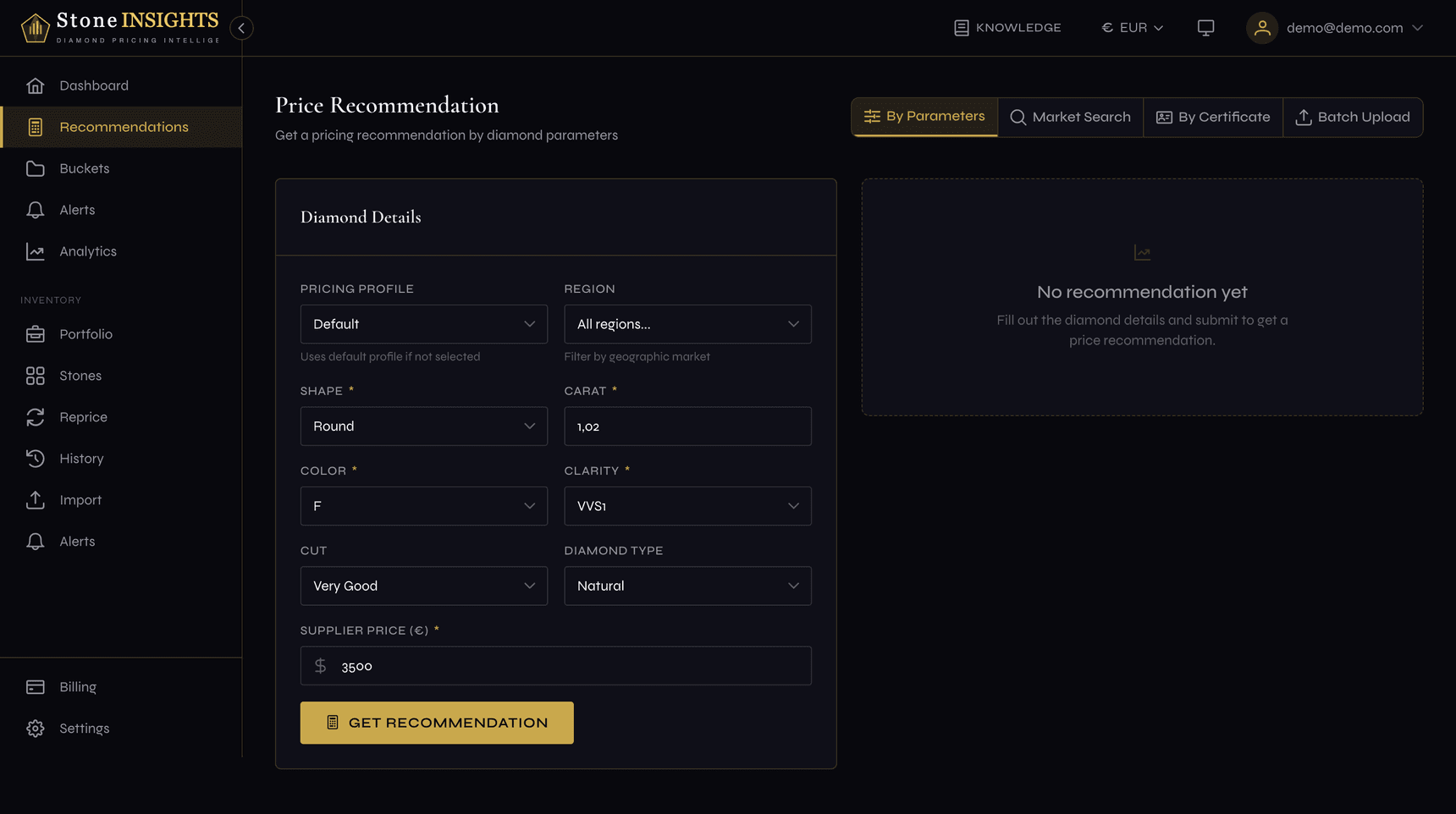
- Open the sidebar and go to Recommendations → By Parameters (or visit
/app/recommendations/by-parameters). - (Optional) Pick a Pricing Profile. If you leave it blank, your default profile is used.
- (Optional) Pick a Region to filter market data to a geographic market.
- Select a Shape (Round, Princess, Cushion, Emerald, Oval, Radiant, Pear, Asscher, Marquise, or Heart).
- Enter the Carat weight — minimum 0.20, in steps of 0.01.
- Select a Color grade (D through M) and a Clarity grade (FL through I3).
- (Optional) Select a Cut grade. This field is only available when the shape is Round — for all other shapes it is disabled.
- (Optional) Select a Diamond Type — Natural or Lab-Grown. Defaults to Natural.
- Enter the Supplier Price in your active currency and click Get Recommendation.
Understanding the result
The result panel shows the same information as a Certificate Lookup result, with one key difference: parameter-based recommendations are always bucket-level, not certificate-level.
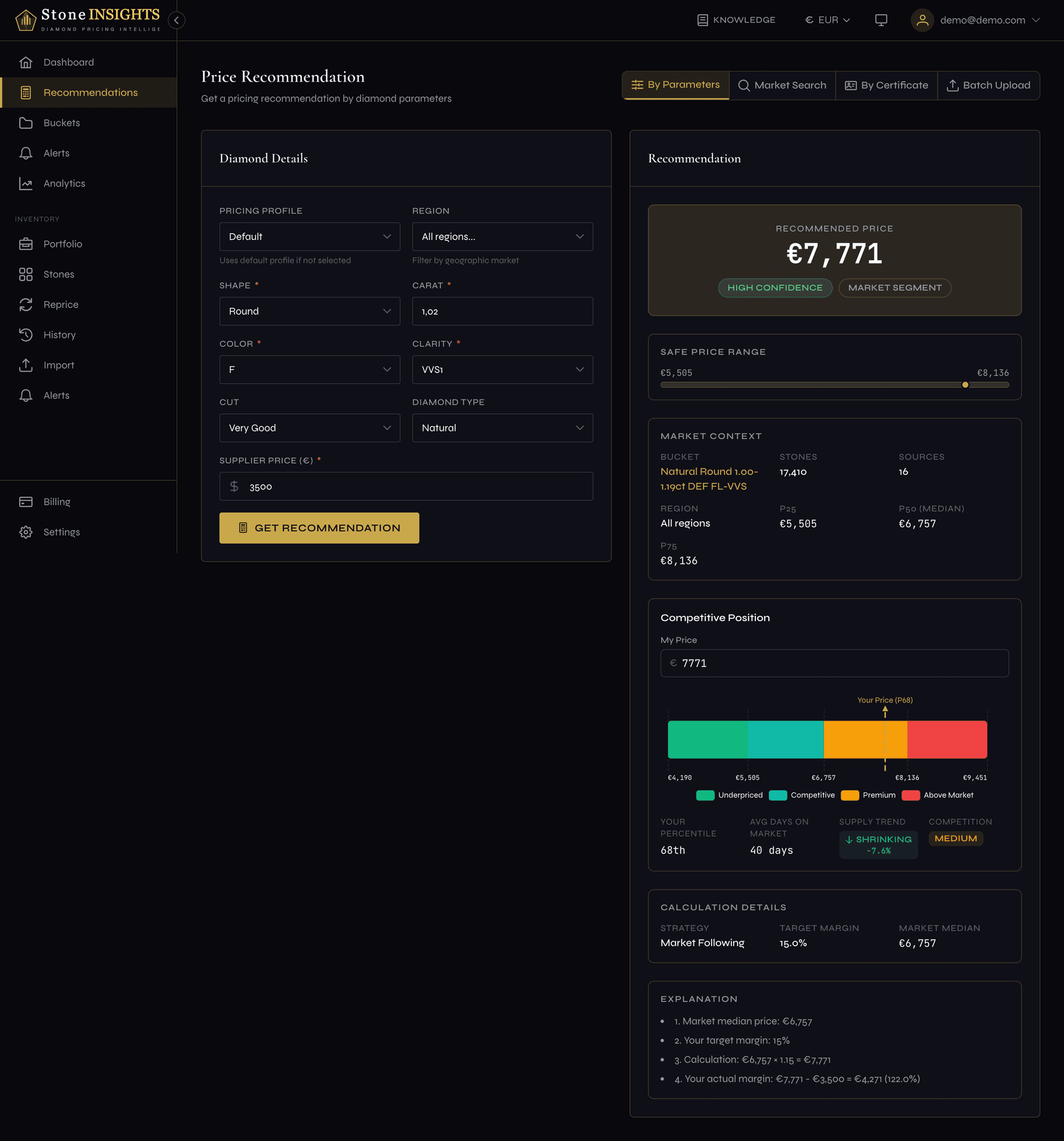
- Recommended price — the headline number, calculated using your profile's strategy and margins.
- Confidence level (high / medium / low) — reflects how much market data backs the recommendation.
- Safe price range — a minimum-to-maximum band with a visual marker showing where the recommended price falls.
- Market context — the matched bucket name, observation count, source count, and market percentiles (P25, P50, P75).
- Competitive position — active listings, average days on market, competition score, and your percentile among current sellers.
If the platform detects an issue with the recommendation, a warning banner appears below the result. Common warnings include supplier cost above or below market, limited market data, and low confidence.
Field reference
Pricing Profile (optional) The profile whose margin and strategy rules are applied. Defaults to your default profile. See Create Your Pricing Profile for how profiles work.
Region (optional) Restricts market data to a geographic region (GB, EU, US, or AU). Leave blank to use global data or your account's default region.
Shape (required) The diamond's cut shape. Ten shapes are supported: Round, Princess, Cushion, Emerald, Oval, Radiant, Pear, Asscher, Marquise, and Heart.
Carat (required)
The diamond's weight. Minimum 0.20. Enter as a decimal — for example 1.50.
Color (required) The GIA color grade, from D (colorless) to M (faint yellow).
Clarity (required) The GIA clarity grade, from FL (flawless) to I3 (included).
Cut (optional, Round only) The cut quality grade: Excellent, Very Good, Good, Fair, or Poor. This field is only enabled when the shape is Round. For fancy shapes, cut grading does not apply and the field is disabled.
Diamond Type (optional) Natural or Lab-Grown. Defaults to Natural. Selecting Lab-Grown switches the market data pool to lab-grown diamonds.
Supplier Price (required) The price you pay the supplier, in your active currency. The currency is shown next to the field label and follows the currency selector in the header.
Tips and common mistakes
Fancy shapes deserve a quick note about the Cut field.
The supplier price field has the same currency behavior as Certificate Lookup.
Next step
Next: Batch Pricing from CSV →